
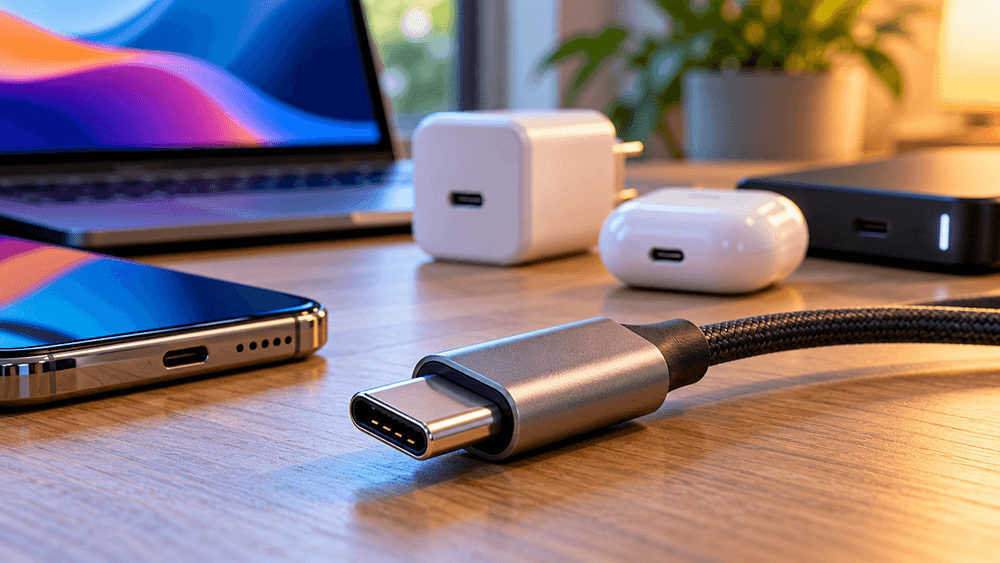
USB-C has become one of the most familiar connections on modern electronic devices. From smartphones and tablets to laptops, monitors and external storage drives, the small oval-shaped port is now used across a wide range of technology.
Its appeal is simple. One connection can potentially handle charging, data transfers and even video output, reducing the need for several different types of cables.
However, there is a catch: not every USB-C port or cable offers the same capabilities.
Two cables may look identical but support completely different charging speeds or data-transfer performance. Understanding these differences can help avoid unnecessary purchases and frustrating compatibility problems.
What Is USB-C?
USB-C, also known as USB Type-C, is a connector standard used to connect electronic devices.
Unlike older USB-A connectors, USB-C has a reversible design. It can be plugged in either way, making it more convenient for everyday use.
Its compact size also allows manufacturers to incorporate it into slim devices without requiring large ports.
One important distinction is that USB-C describes the physical connection rather than the speed or features it supports.
A USB-C port might offer basic charging and data transfers, while another supports high-speed external storage, display output and laptop charging.
The connector alone does not reveal everything it can do.
Why Are USB-C Cables Different?
One of the most confusing aspects of USB-C is that cables with the same connector can have very different specifications.
A basic cable included with an inexpensive gadget might be designed primarily for charging.
Another could support high-speed data transfers between a laptop and an external SSD.
A more advanced cable might also support high-power charging and connections to external monitors or docking stations.
These differences come from the internal wiring, electronics and supported standards.
When choosing a cable, it helps to consider three separate capabilities:
- Charging power: How much electrical power the cable can safely carry.
- Data-transfer speed: How quickly information can move between devices.
- Display compatibility: Whether the complete connection supports video output.
A cable that performs well in one area does not necessarily offer the same performance in another.
USB-C Charging Explained
USB-C is widely used for charging everything from wireless headphones to powerful laptops.
Many modern devices support USB Power Delivery, commonly called USB PD.
This technology allows compatible devices and chargers to negotiate suitable charging power.
Instead of every device receiving the same output, the charger and device communicate to determine what can be supplied safely.
USB Power Delivery can support power levels of up to 240 watts with suitable equipment.
However, reaching higher charging rates requires compatible hardware throughout the connection.
A powerful charger alone does not guarantee faster charging.
The device, cable and charger must all support the required capabilities.
Can You Use a Laptop Charger With a Phone?
In many cases, yes.
A compatible USB-C Power Delivery laptop charger can often charge a smartphone without problems.
The charger does not simply force its maximum rated power into the connected device.
Instead, compatible equipment negotiates an appropriate power level.
For example, a charger rated at 100W may be able to charge a phone that requires far less power.
The phone will only draw power within its supported charging capabilities.
However, not every proprietary fast-charging system is fully compatible with standard USB Power Delivery.
Using a different charger may therefore result in slower charging, even if both devices use USB-C.
What Do 60W and 240W Mean on USB-C Cables?
Charging cables are often advertised with power ratings.
A 60W cable is suitable for many phones, tablets and lower-power laptops.
A 240W cable is designed to support much higher power levels when paired with compatible chargers and devices.
These numbers represent the cable’s supported power capability, not the amount of power it continuously delivers.
A 240W cable connected to a phone does not make the phone consume 240W.
For most everyday charging situations, there is no need to purchase the highest-rated cable available.
However, choosing a properly rated cable becomes more important when charging a laptop or using a high-powered docking station.
Understanding USB Data Speeds
USB-C cables can also support very different data-transfer speeds.
Some operate at USB 2.0 speeds, with a theoretical maximum of 480 Mbps.
More advanced cables may support speeds such as 5Gbps, 10Gbps, 20Gbps, 40Gbps or even 80Gbps, depending on their specifications.
These figures describe theoretical maximum signalling rates. Actual file-transfer performance depends on the devices, storage hardware, connection and other factors.
For charging a phone overnight, data speed may not matter.
For transferring large video files or working with an external SSD, the difference can be substantial.
This is why buying a USB-C cable based only on appearance or price is not always a good idea.
USB-C and External Monitors
Another useful feature of USB-C is its ability to support display connections.
Some laptops and tablets can send video to an external monitor through a USB-C port.
This may use DisplayPort Alternate Mode or technologies such as USB4.
With compatible equipment, a single cable can sometimes carry video, data and charging power between a laptop and monitor.
This is particularly convenient for home-office setups.
Instead of connecting several separate cables each morning, users may be able to connect their laptop to a monitor or docking station through one port.
However, video output is not supported by every USB-C port.
Before buying a monitor or docking station, check the device specifications carefully.
What Is USB4?
USB4 is a more advanced USB technology designed to support high-speed connectivity and efficient sharing of connection bandwidth.
It uses USB-C connectors and can support a range of data and display capabilities depending on the implementation.
Some USB4 devices support speeds of 40Gbps, while newer implementations can provide up to 80Gbps.
USB4 can be particularly useful for demanding equipment such as:
- high-speed external SSDs
- docking stations
- professional displays
- advanced laptop accessories
- high-bandwidth peripherals
For ordinary phone charging or connecting a keyboard, these capabilities may be unnecessary.
For people working with large files or multiple displays, they can make a meaningful difference.
Is Thunderbolt the Same as USB-C?
Thunderbolt and USB-C are related, but they are not identical.
USB-C is the connector, while Thunderbolt is a connectivity technology that can use that connector.
Thunderbolt-equipped ports can offer high-speed data, video and additional capabilities, depending on the version and device.
A laptop with Thunderbolt support may work with advanced docking stations and storage equipment that require features unavailable on a basic USB-C port.
However, plugging a Thunderbolt accessory into any USB-C port does not guarantee full functionality.
As with USB4, compatibility should be checked before purchasing expensive accessories.
Why Cable Quality Matters
It can be tempting to buy the cheapest available USB-C cable, especially when several are needed around the house.
For basic charging of small devices, an inexpensive cable from a reputable manufacturer may be perfectly adequate.
However, poor-quality cables can cause problems.
These may include unreliable connections, excessive heating, reduced charging performance or premature wear.
When buying cables for high-power charging or demanding data connections, clear specifications and recognised certification are particularly valuable.
USB-IF certification can help identify cables that have been tested against relevant USB requirements.
A reliable cable should provide clear information about its power rating and supported data speed rather than relying on vague descriptions such as “super fast”.
Do You Need an Expensive USB-C Cable?
Not necessarily.
The best cable depends on how it will be used.
For charging wireless headphones or connecting a simple accessory, a basic cable may be sufficient.
For charging a powerful laptop, the cable must support the required power level.
For an external SSD, data-transfer speed matters considerably more.
For connecting a laptop to a display, video compatibility becomes essential.
Paying extra for advanced specifications is worthwhile only when those features provide a genuine benefit.
A more expensive cable will not automatically make an older device charge faster or transfer files beyond its supported limits.
How to Choose the Right USB-C Cable
Before buying a replacement cable, check a few practical details.
1. Identify the main purpose. Is the cable intended for charging, transferring files, connecting a display or several of these tasks?
2. Check the device specifications. Look for supported charging power, USB data speeds and video-output capabilities.
3. Match the cable to the equipment. A high-speed SSD may require a faster cable than one used for phone charging.
4. Consider cable length. A longer cable may be convenient, but high-speed connections can have additional length limitations.
5. Choose clear specifications. Prefer products that explicitly state charging wattage and data speed.
There is little benefit in purchasing the most expensive specification if the connected devices cannot use it.
Will USB-C Eventually Replace Every Other Connector?
USB-C has already replaced many older connections across everyday consumer electronics.
Its compact design and flexibility make it attractive for manufacturers developing smaller, more versatile devices.
However, specialist equipment may continue using other connectors where particular technical requirements or established industry standards make them more appropriate.
USB-C is likely to remain an important connection for consumer technology, but it does not mean every device will eventually use exactly the same cable.
The Bottom Line
USB-C has made connecting and charging modern devices considerably more convenient, but its flexibility also creates confusion.
The most important thing to remember is that the connector does not determine every feature.
Charging speed, data-transfer performance and display support depend on the cable and the connected equipment.
For everyday users, choosing the right USB-C accessories does not need to be complicated.
Understanding a few basic specifications is usually enough to avoid overspending, improve compatibility and get the best performance from existing devices.
A little research before purchasing can save money and prevent a surprising number of everyday technology frustrations.